
There are a number of ways to use the WP Stock Ticker on your WordPress website. A scrolling ticker, a static block of stocks or even in a widget area. There’s also options for how to add the ticker, using a short code, widget or php code in your template files.
In this tutorial we’ll show you a few of these uses and how to achieve them, please also read our WP Stock Ticker Documentation here.
Using short codes and widgets
A static display in sidebar widget

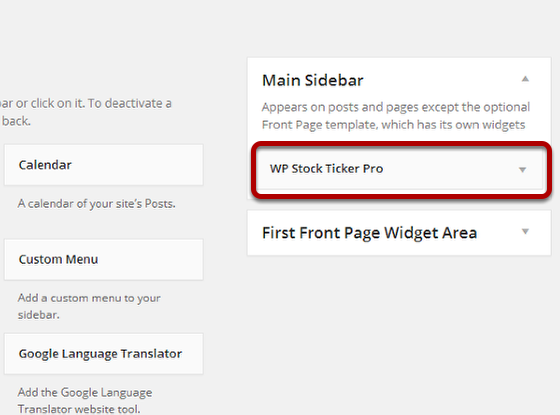
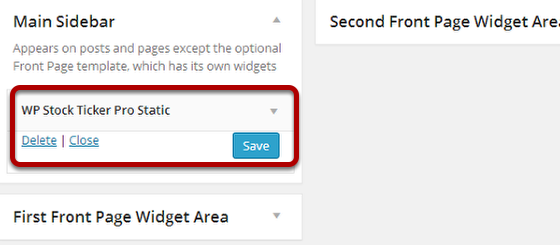
If you wish to display the ticker on your sidebar widget, in your WordPress dashboard go to Appearance > widgets.
Then drag the wp stock ticker pro or stock ticker pro static on sidebar widget.
Standard stock ticker in a post/page
Static block with charts in a page/post
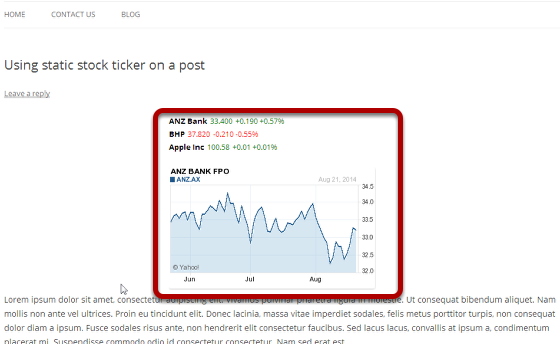
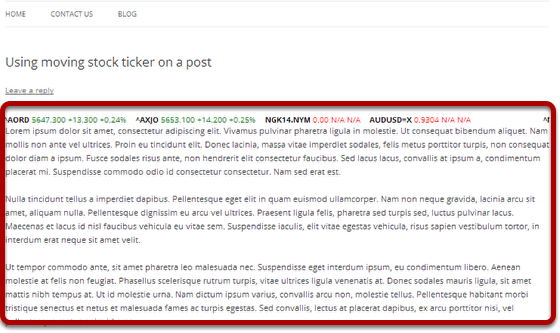
In order to display stock ticker on a post/page, place the following short code in post/page where you wish to display the ticker.
For static ticker use the code:
[s_static_display]
while for moving ticker use the code:
[s_ticker_display]
Here’s an example for each:
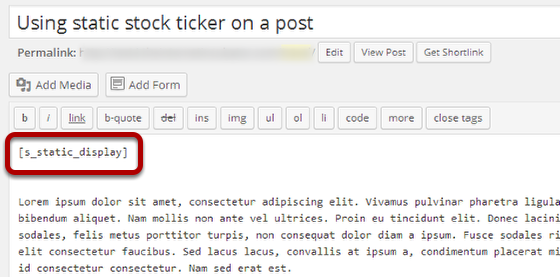
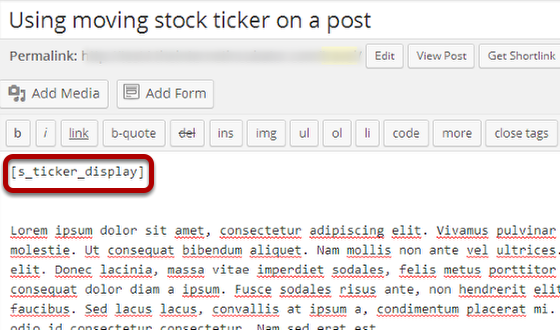
Standard ticker on the front page of the website

Another cool way to use the standard stock ticker is by placing it on the front page of your website. If you are using a theme that supports a home page widget, use it to display the ticker by dragging the stock ticker widget to the correct widget area.
Using PHP code to your WordPress theme.
If you wish to embed the ticker in your theme then this one is for you.
Embedding a standard ticker php code above or below your website title and description
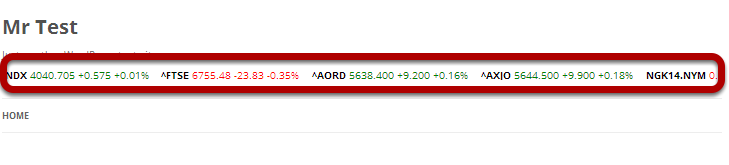
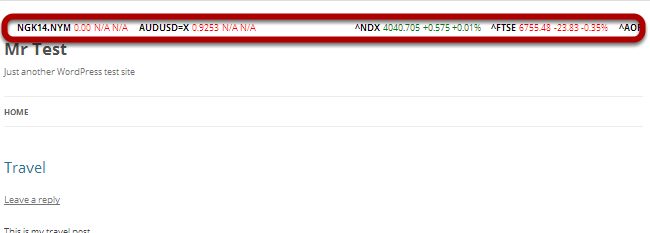
To display standard ticker in your theme, embed the php code directly in a template file such as header.php where you wish to display the ticker.
if(method_exists('WPStockTickerPro', 's_ticker_display')) {
$xx = new WPStockTickerPro();
echo $xx->s_ticker_display();
}
Embedding standard ticker php code under theme’s menu
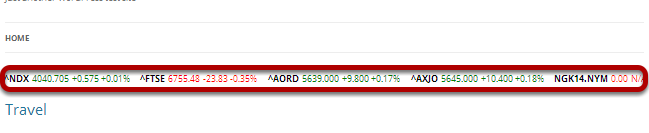
If you want to display standard ticker below the theme’s menu then place the php code to the index.php template file.
if(method_exists('WPStockTickerPro', 's_ticker_display')) {
$xx = new WPStockTickerPro();
echo $xx->s_ticker_display();
}
Embedding standard ticker in the theme’s footer


To display standard ticker in your theme’s footer, add the php code in footer.php template file.
if(method_exists('WPStockTickerPro', 's_ticker_display')) {
$xx = new WPStockTickerPro();
echo $xx->s_ticker_display();
}
These are just some examples on how to use wp stock ticker.
If you are new to this plugin please read the WP Stock Ticker Documentation.
The plugin is responsive?
Yes it is!
Kindly is this possible for kenyan stock market
Hi,
Our plugin retrieves data form Finance.yahoo.com. Please check to see if the stock quotes you’d like to use are available there.