

Posted by Peter
12 February 2014 Today we have released our second add on for Gravity Forms.
Our first, Gravity Forms to Zoho CRM has been one of our most popular plugins over the past couple of years and we hope WordPress users like this new plugin too.
Gravity Forms to Trello is all about connecting your WordPress web site with Trello.
If you’re not sure what Trello is, check out their web site here. In short, Trello is a very flexible tool that allows you to organise yourself or a whole team of people using a simple board and card layout.
Special launch promotion!
During February 2014 use the promotion code H4TRELLO to get 50% off the purchase price of this brand new WordPress plugin.
So what can you do with Gravity Forms to Trello?
Put simply; you can connect any Gravity Form to any board and list in Trello.
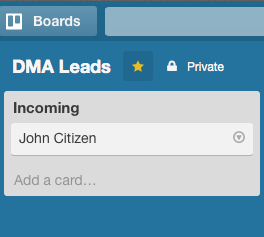 So perhaps you use Trello as a simple CRM tool. You might like to have the enquiry form on your web site automatically send new leads into the board you have setup to store new enquiries.
Easy!
Follow the simple setup and you can have this kind of thing setup in 5 minutes!
It doesn’t stop there.
You can map any number of forms to different boards and lists in Trello, the simple mapping tool allows you to choose the boards and lists directly from your Trello account.
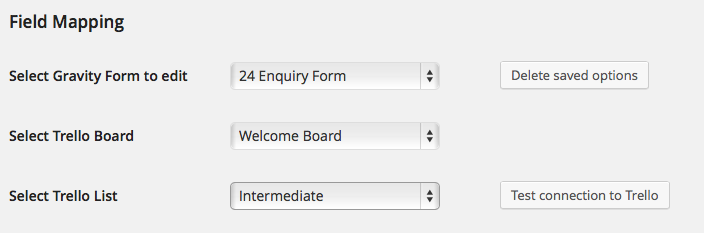 Then for each form you can select any number of fields to be used to create the card.
You might like to join two fields together to make the card title (perhaps ‘First Name’ and ‘Last Name’) – no problem. Just choose the field order and the plugin does the rest.
If you’re a Trello user and a Gravity Forms user – this plugin is the glue that is going to automate your world!
Check out the full details of Gravity Forms to Trello here.

Lottie Player for WordPress is here!
Lottie Player adds support for Lottie files in your WordPress website. Upload and manage Lottie files directly within your WordPress dashboard, then embed the lightweight Lottie animation on the front end of your website using a block or via a shortcode.